
The new versions of the HSBuddy plugin (4.58) and mobile app (1.0.89) bring a big update — new maps, smarter geofences, a brand new dashboard widget, and a rewrite of the device history engine under the hood. Here's a look at everything that's changed in HSBuddy recently.

HSBuddy Online Documentation
Geofences: Powered by OpenStreetMap
The Geofences page has been completely migrated from Google Maps to OpenStreetMap, powered by the Leaflet mapping library. You still get the same interactive experience — creating geofences, searching for addresses, viewing client locations — but now it's all running on open-source mapping with no Google Maps API costs.
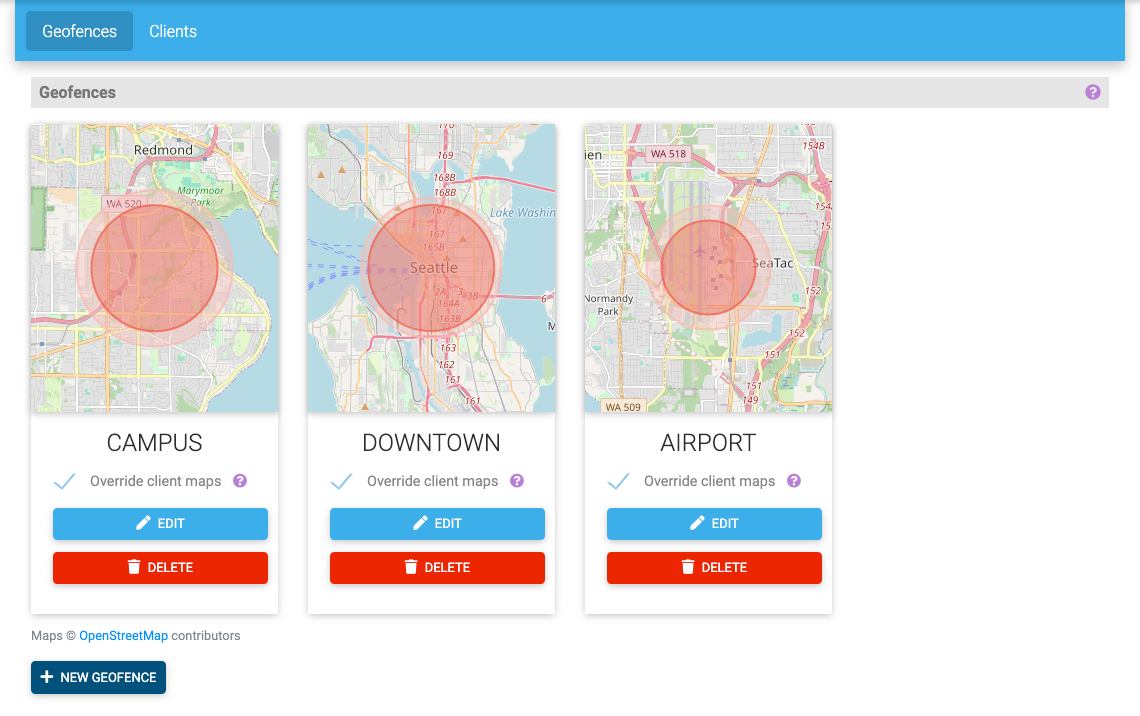
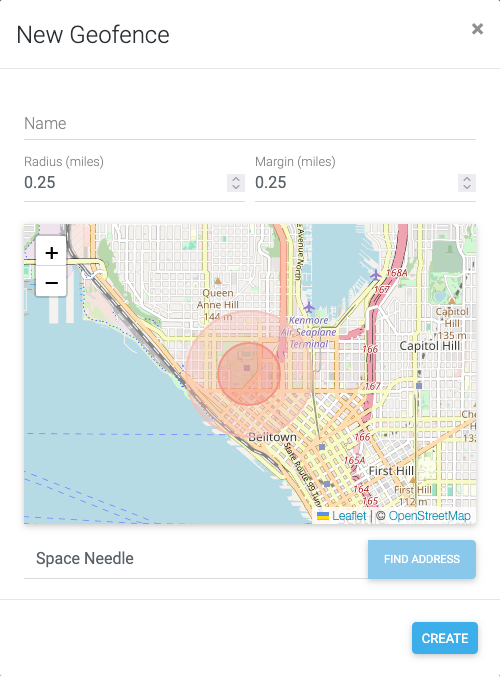
Address search is still available, but is now handled by Nominatim, and the geofence cards, the map in the New Geofence dialog, and the margin visualization all use the new map tiles.
Geofences: Dynamic Updates & Auto-Refresh
Two quality-of-life improvements that make managing geofences a lot smoother:
No more page reloads. Creating, editing, or deleting a geofence now updates the page instantly. You'll see a brief confirmation message at the top of the page instead of waiting for a full reload.
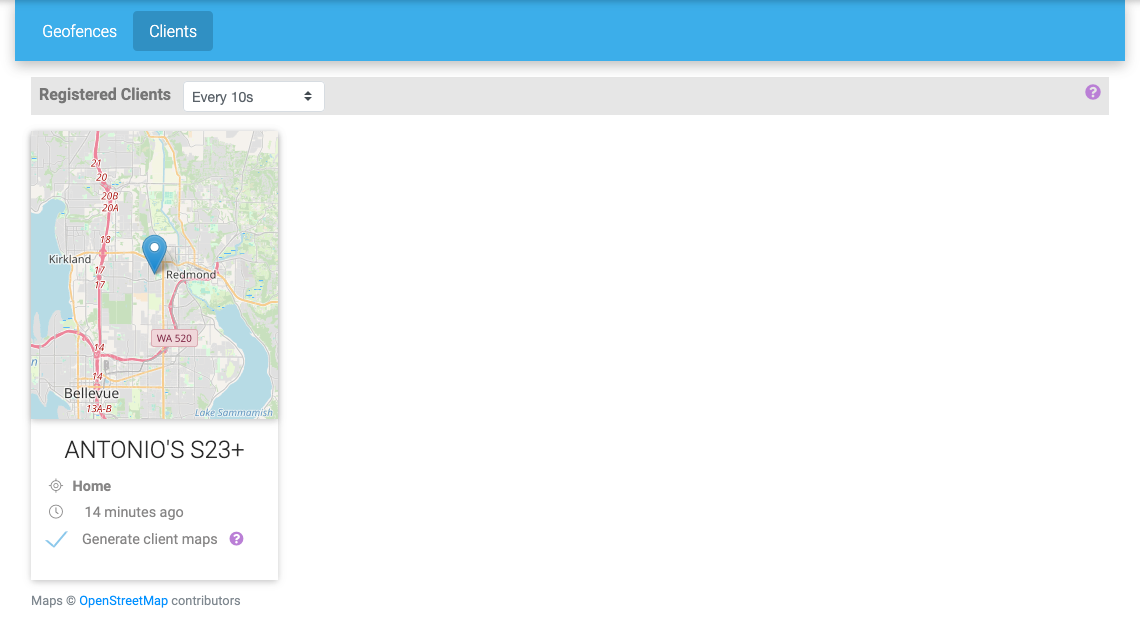
Auto-refresh for client locations. The Clients tab now has an Auto-refresh dropdown in the header. Set it to poll every 5 seconds, 10 seconds, 30 seconds, or up to 5 minutes, and the page will automatically update client positions. The setting is remembered in your browser, and the timer is smart — it pauses when you switch to the Geofences tab or navigate away, and picks back up when you return.
Dashboards: Map Widget
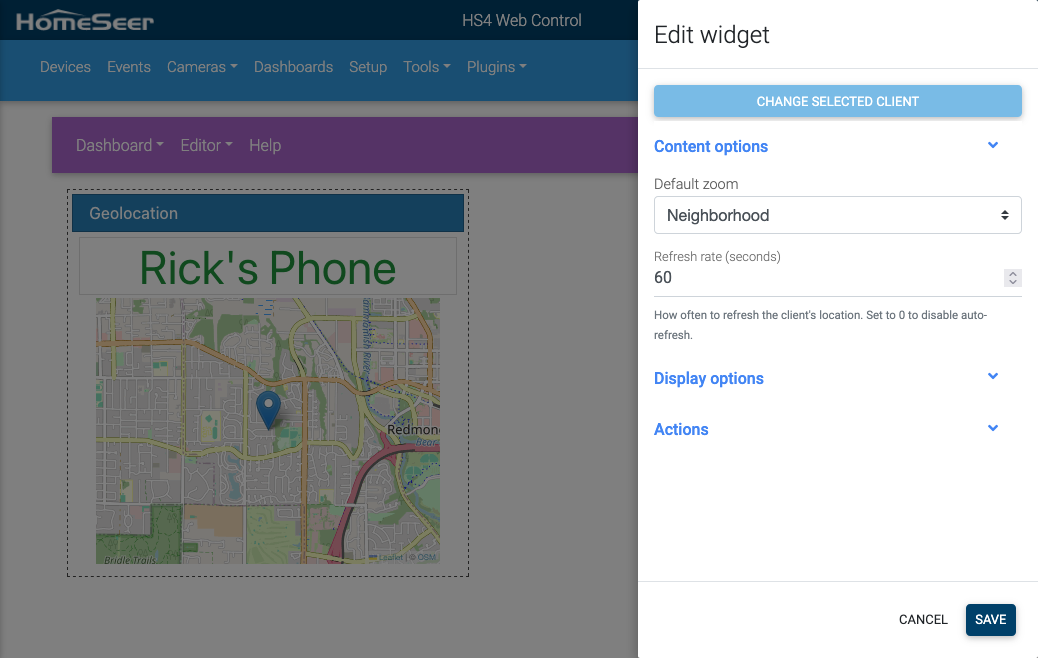
There's a brand new widget type for dashboards: the Map widget. Add one to any dashboard to show a registered client's live location on an interactive map.
- Auto-refreshing: Configure how often the widget polls for an updated location
- Configurable zoom: Set the default zoom level to show as much or as little of the surrounding area as you need
- Fullscreen view: Tap or click the widget to open a fullscreen interactive map overlay where you can pan, zoom, and manually refresh
- Works in both the web dashboard viewer and the mobile app
On the mobile app, the full-screen map works just like the full-screen camera view — the map fills the screen, and tapping toggles the navigation bar.
To set one up, open the dashboard editor on your server, select Map from the widget type menu, and choose the registered client you want to track.
Device History: Faster & More Reliable
Under the hood, the plug-in's device history storage has been completely rewritten. Instead of a single database file, history is now stored in date-based partitioned files — one per day. This brings a few meaningful improvements:
- Better performance for reading and writing history, especially on systems with long retention periods
- More reliable cleanup: old data is removed by simply deleting expired files, rather than running SQL deletions inside a single growing database. This addresses many of the locking issues that occurred in systems with frequently changing devices.
- Simpler configuration: retention is now set in days instead of hours/minutes, making it easier to understand and manage
The history settings page on the plug-in reflects this change — you'll now see a day-based retention selector.
App 1.0.89: Bug Fixes
In addition to the new Map widget, version 1.0.89 of the mobile app includes several bug fixes:
- Dashboard widget device icons may freeze in certain scenarios — fixed
- [Android] Status bar not showing on Android 15 (API 35) — fixed
- [iOS] Scanning NFC tags opens Safari instead of HSBuddy — fixed
- [iOS] Home screen widgets may not connect when using multiple server profiles — fixed
- Background geolocation can stop working after a change in HomeSeer proxy address — fixed
- Minor UX fixes
Updating
Ready to update? Here's how:
- Plug-in: Update to version 4.58 from the HomeSeer plug-in manager, currently in the Beta channel.
- Mobile app: Update to version 1.0.89 – as of March 24th, this version is available in as a Beta Version.
As always, if you run into any issues, you can file a report from the app under Options > Feedback, or post on the HomeSeer forum.