
Keeping Tabs on Claude's Context Window
Claude Code knows exactly how full its context window is — you just have to ask.

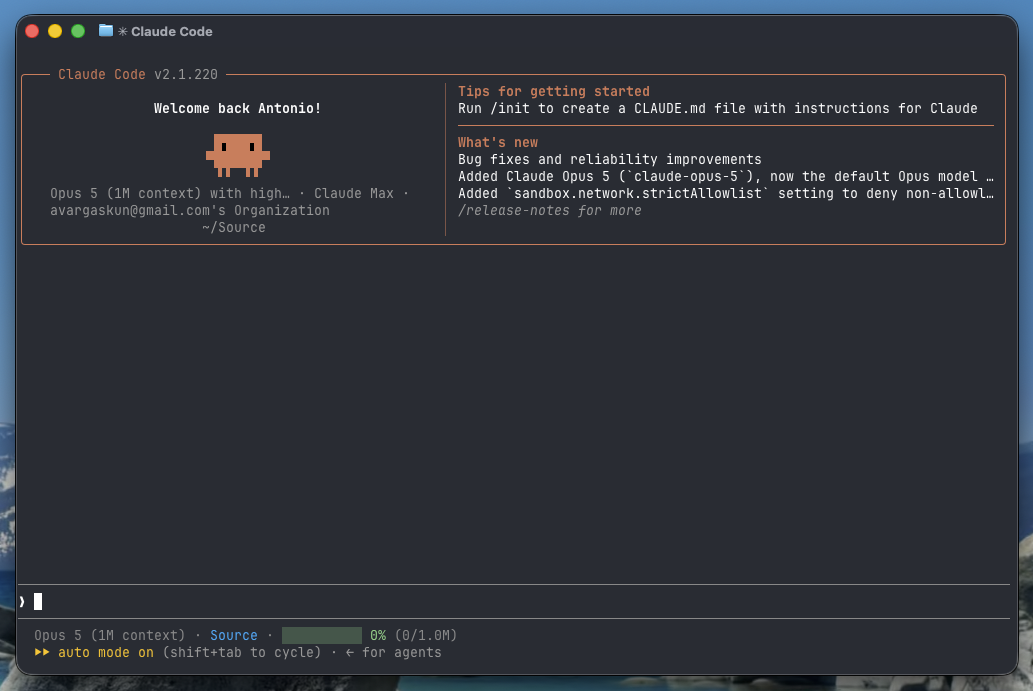
Hi there,
If you are a subscriber of this blog, chances are you use Claude Code regularly, either at work or for your own personal projects. I use it every day, in no small part to keep up with my self-host hobby. I've become pretty dependent on it, actually. Editing compose files, chasing a container that won't start, writing the little glue scripts that hold my Unraid setup together — it's genuinely good at the kind of fiddly work that used to eat an entire evening.
But there's a failure mode that kept showing up, and it was maddening. Deep into a debugging session — the model had read half a dozen config files and a wall of container logs — the context window would fill up. The conversation compacts, the assistant starts working from a summary, and its accuracy falls off a cliff: it trips on things we had flagged a few minutes earlier. Long-running prompts started giving me context-anxiety: fearing auto-compaction would kick in before I could do anything about it.
I finally decided to do something about it, and the fix turned out to be simpler than I expected. Claude Code lets you replace its status line with a script of your own — and it hands that script a JSON blob that already includes the context percentage, pre-computed. No parsing transcripts, no counting tokens. A few lines of bash later, I had a progress bar that updates as I work:
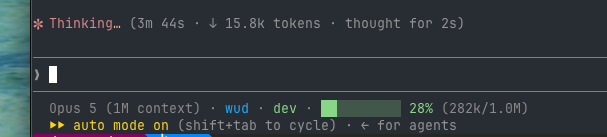
The solution is powered by a small bash script showing the model, the working directory, the git branch, and a ten-cell bar for the context window. Green under 60%, amber from 60%, red from 85% — the point where I should wrap up what I'm doing rather than start something new.
The full article walks through the script line by line, how to wire it into your settings, and how to test it without burning a real session.
— Antonio